

In this article
If you live or work in Singapore, you’ve probably been asked to “log in with Singpass” more times than you can count. Filing taxes, renewing insurance, signing a tenancy agreement, applying for a bank account. It all runs through the same login. Here’s what Singpass actually is, who can get one, and how to set it up in a few minutes.
What is Singpass?
Singpass (Singapore Personal Access) is Singapore’s national digital identity. It’s built by GovTech and lets you prove who you are online and in person, so you don’t need a separate account for every government agency or business.
Here’s how widely it’s used, based on GovTech’s figures as of September 2026:
| Services you can access | Over 2,700 |
| Government agencies and businesses | 800 |
| Total users | 5 million |
| People using the Singpass app | Over 4.2 million |
| Transactions every month | Over 41 million |
Who Can Register for Singpass?
Anyone aged 15 and above in one of these groups:
| Who you are | Eligible? |
| Singapore Citizen | Yes |
| Permanent Resident | Yes |
| Work pass holder (EP, S Pass, Work Permit and others) | Yes, using your FIN |
| Dependant Pass, LTVP+ or Student Pass holder | Yes, using your FIN |
| Below 15 years old | Not yet |
If you don’t have a Singapore-issued ID at all, you may be able to get a Singpass Foreign user Account (SFA) using a passport with at least six months’ validity or a foreign identity card. Just note that fewer services accept it.
How Do I Set Up Singpass?
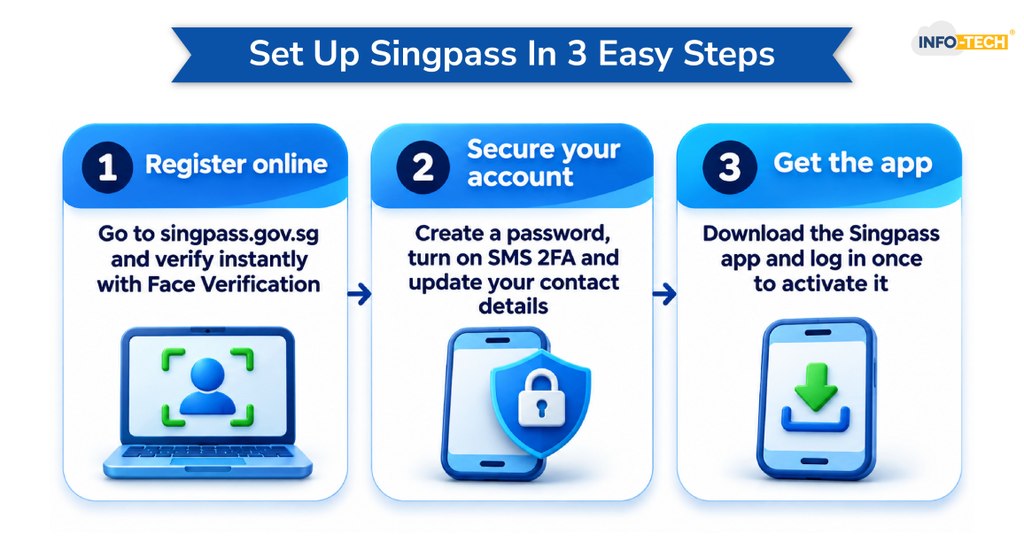
- Go to singpass.gov.sg and register. Face Verification lets you do it instantly, so have a device with a camera ready.
- Create your password, turn on SMS 2FA, and update your mobile number and email.
- Download the app from the Apple App Store, Google Play Store or Huawei AppGallery, then log in once to activate it on your phone.
That’s it. The whole thing usually takes less than 10 minutes.
How Do I Log In with Singpass?
You have three options:
| Method | How it works | When to use it |
| Singpass app | Fingerprint, face or a six-digit passcode. No password to type | Everyday logins, or scanning the QR code on a computer |
| Password + Face Verification | Enter your Singpass ID and password, then do a quick face scan | When your phone isn’t with you |
| Password + SMS OTP | Enter your Singpass ID and password, then the code sent to your phone | A backup if the other two don’t work |
What Can I Do With the Singpass App?
- Show your digital IC to prove your identity at government counters and places like SingHealth polyclinics
- Open services like CPF, HDB, IRAS and the NS Portal in one tap
- Keep your key personal details on hand
- Get reminders from agencies, for example when it’s time to renew your passport or re-register your NRIC
- Sign documents digitally
- Switch to a corporate profile when you’re transacting for your company
What is Myinfo and How Does it Work?
Myinfo is the government-verified personal data linked to your SingpassID. When a participating service needs your details, you’ll see exactly which items it’s asking for and decide whether to share them. Once you agree, the form fills itself in.
The details usually shared include your NRIC or FIN, name, date of birth, nationality and registered address. For FIN holders, it can also include employer and occupation.
The business gets the verified details themselves, not a photo of your IC. That’s a big reason banks rely on it. MAS considers Myinfo a reliable and independent source for identity checks, so banks can open accounts online without asking you to upload extra documents or a selfie.
How Do Employers and HR Teams Use It?
Companies deal with government agencies through Corppass, but staff log in using their own personal Singpass. Your company’s Corppass admin decides who can access which service.
| Agency | What HR typically does there |
| CPF Board | Submit monthly CPF contributions |
| Ministry of Manpower (MOM) | Apply for and renew work passes, update employee details |
| IRAS | Submit IR8A forms and handle employee tax matters |
The login itself is quick. The real work is getting the numbers right before you submit. Using payroll software that handles CPF calculations and IRAS reporting saves a lot of last-minute checking, and a proper HR software keeps employee records accurate for MOM updates. If you’d rather not run payroll in-house, a payroll outsourcing service can take it off your plate.
How do I Keep My Singpass Safe?
- Never share your ID, password or 2FA codes with anyone, including family or callers claiming to be officers. You can be held criminally liable if someone else uses your account for crime.
- Only approve a login on the app if you started it yourself.
- Keep your mobile number updated so codes and alerts reach you.
- Check www.singpass.gov.sg/main/security/ for the latest security tips.
Once it’s set up, SingpassID quietly becomes the one login you use for almost everything in Singapore.
Singpass FAQs
Is Singpass only for Singapore citizens?
No. Singapore Citizens, Permanent Residents and foreigners with a FIN (Foreign Identification Number) can all register, as long as they’re 15 or older. That covers most work pass holders (Employment Pass, S Pass, Work Permit) as well as Dependant Pass, Long Term Visit Pass-Plus and Student Pass holders.
Is Singpass ID the same as NRIC?
Not quite, though they use the same number. For Citizens and PRs, your Singpass ID is your NRIC number, and for foreigners it’s your FIN. So when you log in on a browser, you type your NRIC or FIN as the username.
How to get Singpass in person?
Yes, you can. If you can’t or prefer not to use Face Verification online, you can register at a Singpass counter. These are mainly at ServiceSG Centres and selected Community Centres or Clubs around Singapore.
Can I register for Singpass without a phone number?
You can register and log in using Face Verification on a computer with a webcam, but setup normally asks for a mobile number to activate SMS 2FA. Without one, you lose a backup login option and won’t get SMS alerts about your account. If you don’t have a number, a Singpass counter can tell you what works for your situation.
