WhatsApp CRM for Businesses
Manage Customer Conversations
From One Shared Inbox
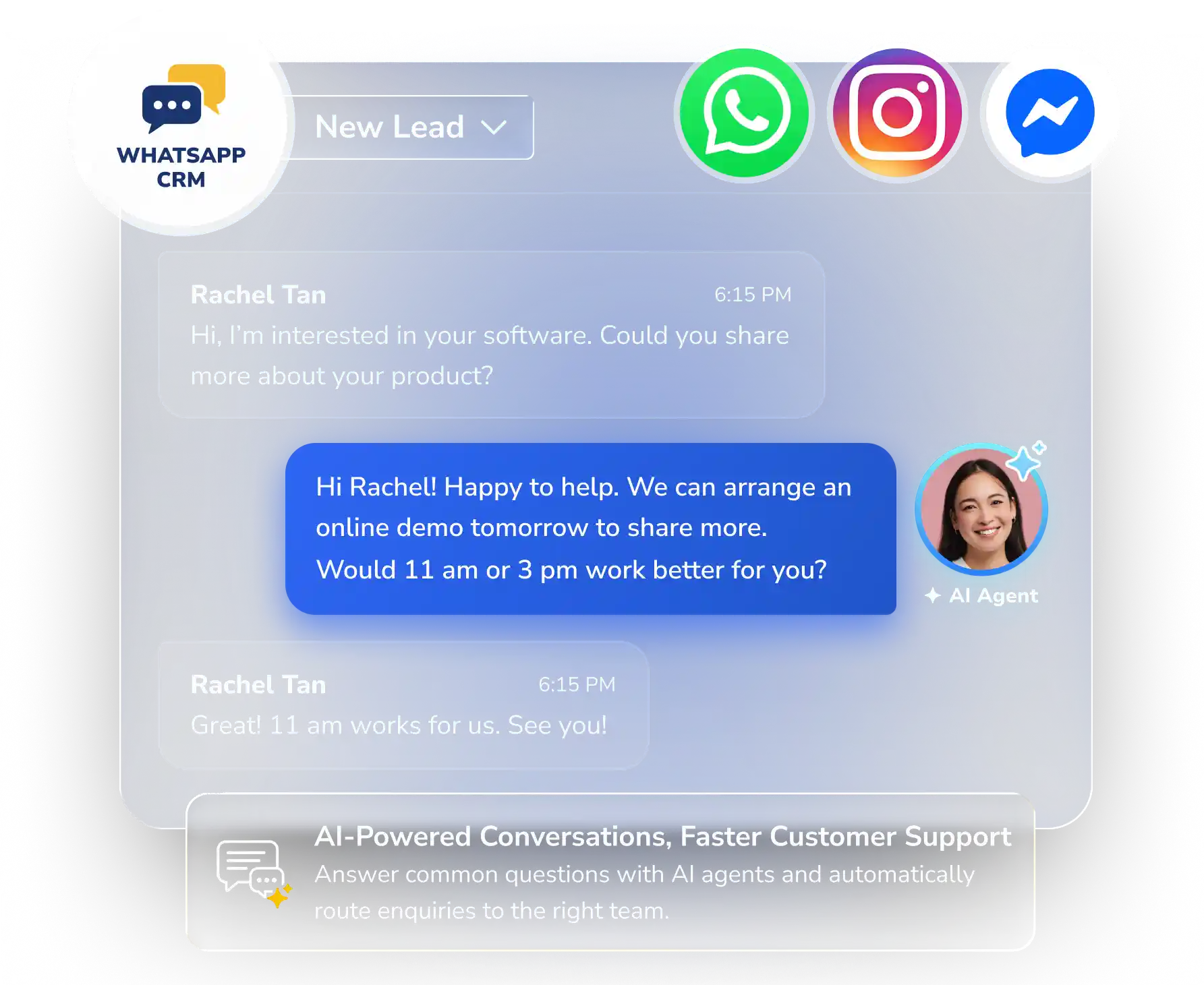
Bring WhatsApp, Instagram and Facebook Messenger conversations into one shared inbox. Your team can reply to customers, follow up on new leads, send promotions and let AI answer common questions all in Info-Tech CRM.


Trusted by 28,000+ Businesses Across F&B, Construction & Marine, Healthcare, Banking, and More.



















Still Managing Customer WhatsApp on Individual Phones?
As enquiries grow, it becomes harder to know who replied, who needs follow-up and whether opportunities are being missed.
Common Challenges
 Customer conversations depend on individual staff
No shared view of who is handling each customer enquiry
Enquiries left unanswered when agents are busy or offline
Conversation history scattered across different messaging apps
Messages sent individually, without delivery or read tracking
Chats manually assigned to agents or teams
Customer conversations depend on individual staff
No shared view of who is handling each customer enquiry
Enquiries left unanswered when agents are busy or offline
Conversation history scattered across different messaging apps
Messages sent individually, without delivery or read tracking
Chats manually assigned to agents or teams

Info-Tech CRM Conversation
 One shared WhatsApp inbox for your team
See who is handling every conversation
Automatically route and escalate chats when agents are unavailable
Access WhatsApp, Instagram and Messenger conversations in one place
Send personalised broadcasts and track delivery and read rates
Automate chat assignment with round-robin or criteria-based routing
One shared WhatsApp inbox for your team
See who is handling every conversation
Automatically route and escalate chats when agents are unavailable
Access WhatsApp, Instagram and Messenger conversations in one place
Send personalised broadcasts and track delivery and read rates
Automate chat assignment with round-robin or criteria-based routing
Connect with Customers. Grow Your Business.
Manage customer conversations, follow up with leads and send campaigns across WhatsApp, Instagram & Facebook Messenger all from a shared inbox.
One Number, Many Staff
Your whole team can manage customer conversations using one business WhatsApp number
Never Miss a Lead
Capture new contacts automatically when customers start a conversation, reducing manual data entry

AI Agents Answer Customers
AI answers common questions using your own business information, even when your team is busy
Reach Customers Again
Send promotions, announcements and updates directly to selected customers through WhatsApp
More Than Just Sending and Receiving Messages
 Omnichannel Inbox
View and reply to WhatsApp, Instagram and Messenger conversations from one shared team inbox.
Smart Conversation Assignment
Distribute enquiries using round-robin or criteria-based rules, with assignment settings for each channel and account.
WhatsApp Business Messaging
Connect multiple WhatsApp Business accounts through the official Meta Cloud API and manage messages within your CRM.
Instagram & Facebook Messenger
Connect Instagram accounts and Facebook Pages to receive and respond to social enquiries in one place.
Conversation Organization
Keep chats easy to manage with internal notes, tags, archives and assigned or unassigned queues.
Campaign Reports & Insights
Monitor broadcast delivery, read rates and engagement, and export reports to Excel for further analysis.
Let Your Whole Team Manage WhatsApp Together
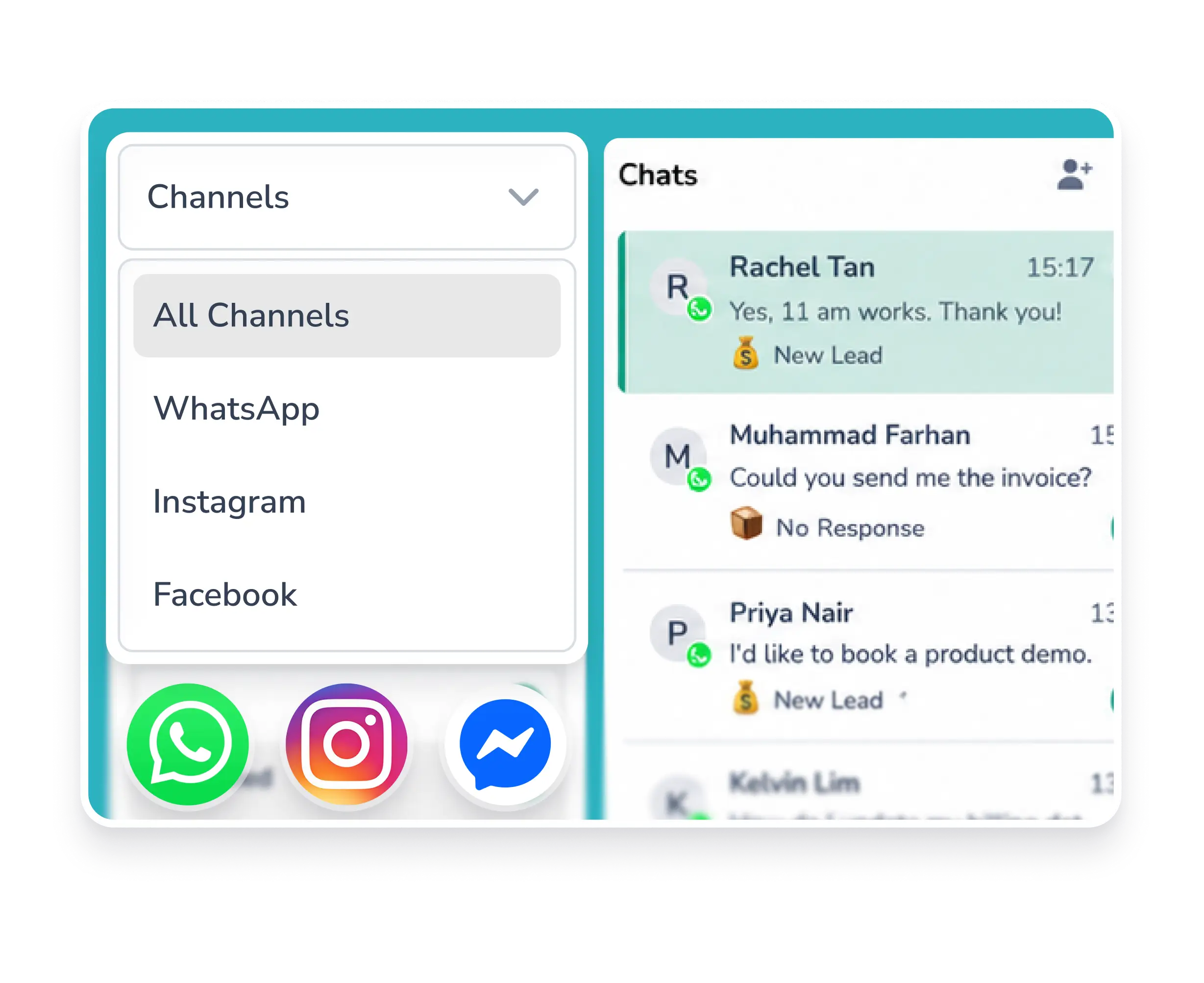
Let your sales and customer service teams manage the same business WhatsApp number, alongside Instagram and Facebook Messenger, from one shared inbox.
-
 Filter chats by Channel (WhatsApp, Instagram or Facebook)
-
View complete conversation history and read status
-
Add conversation notes and tags
-
Transfer conversations between staff
Turn Enquiries Into Sales Opportunities
Turn customer messages into opportunities. Automatically create the contact, record the enquiry and assign it to your sales team for follow-up.
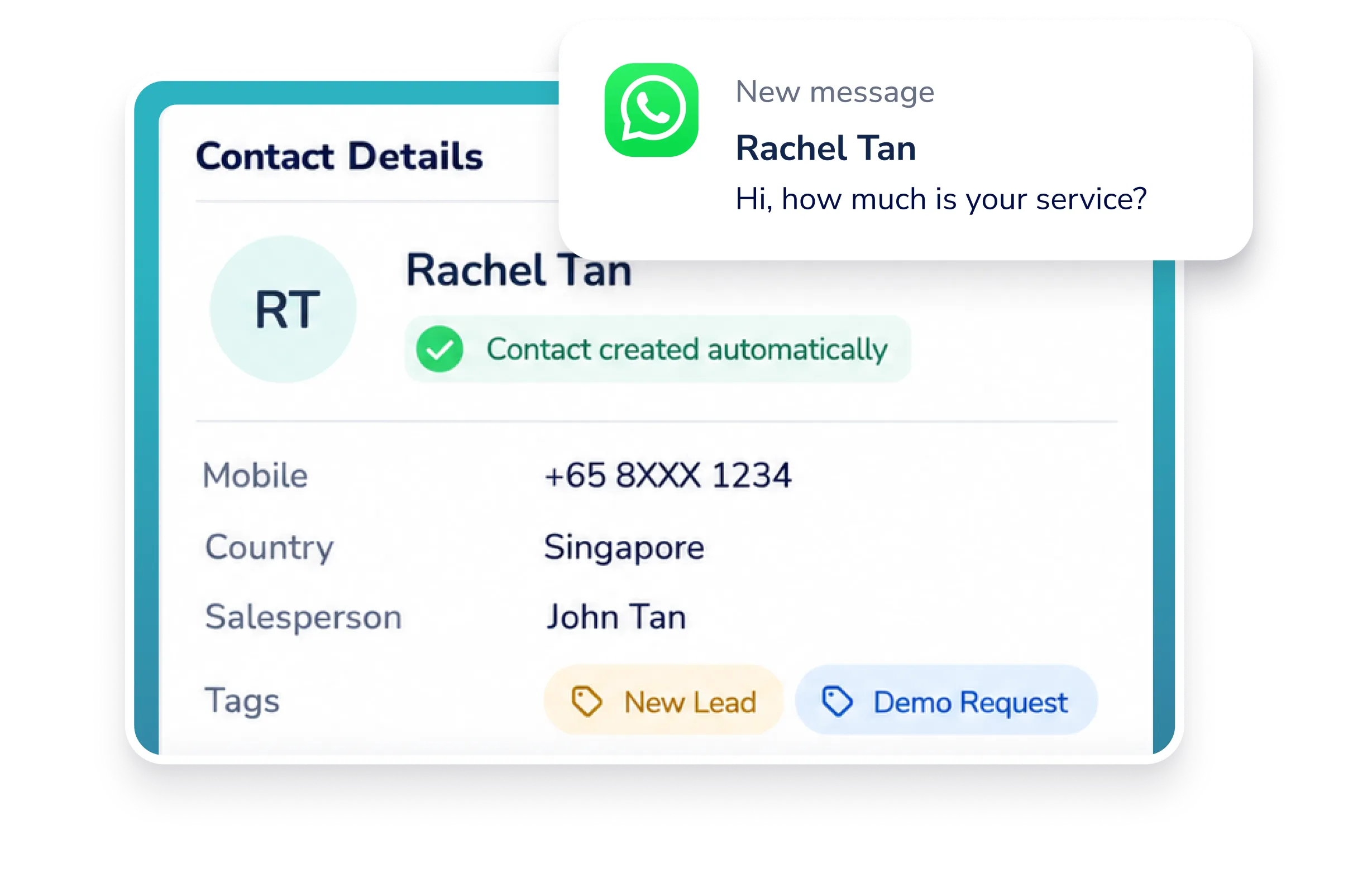

Customer Enquiry

Contact Created

Assigned to Sales

Follow-Up


Sales Opportunity
Automatically Route Enquiries to the Right Team Data Reminders
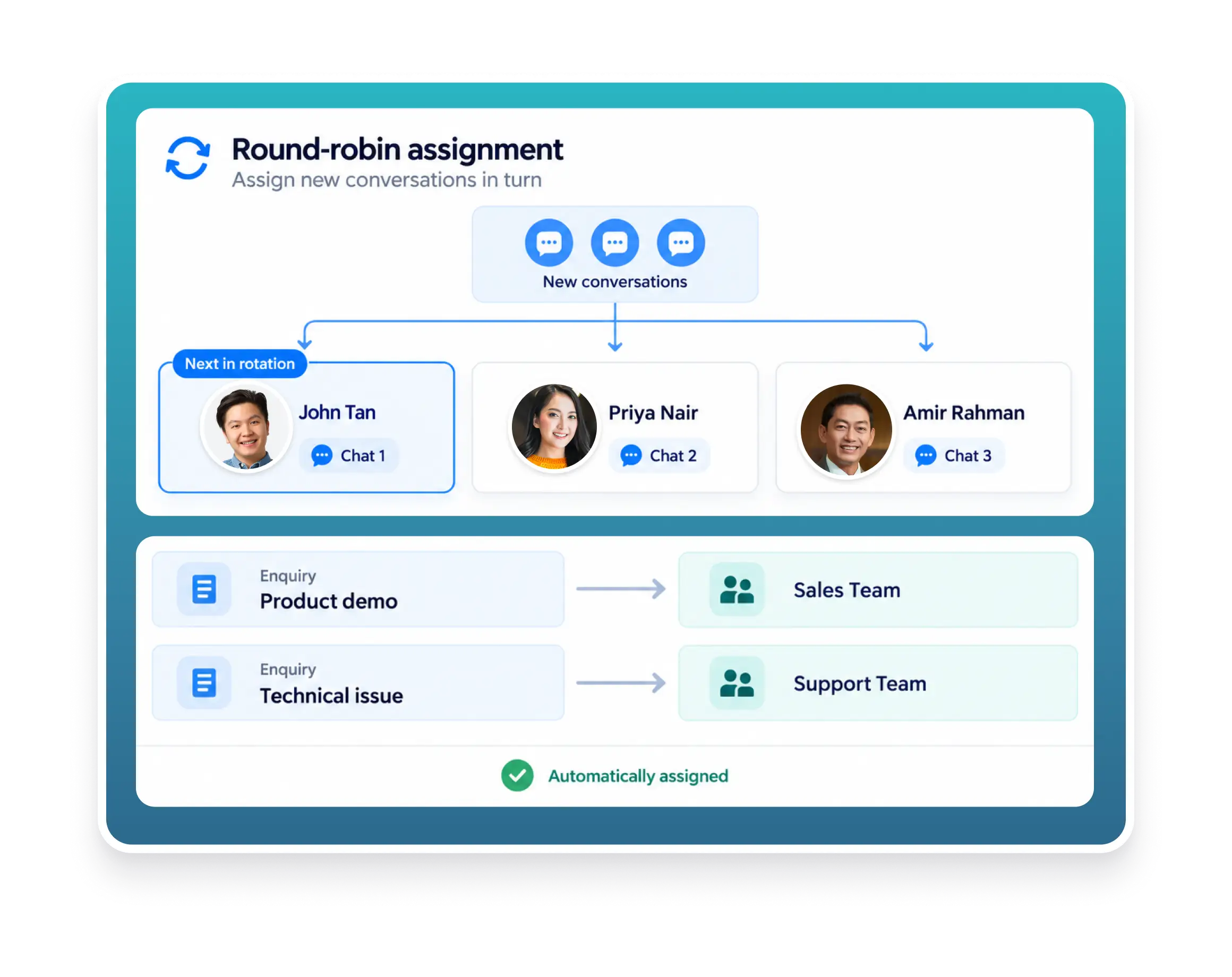
Keep enquiries moving with automated routing and assignment. Distribute conversations among agents in turn with round-robin assignment, or set criteria to direct customers to the team best suited to help.
-
Balance workloads and give every enquiry the attention it needs
-
Reduce manual handovers
Reach Your Customers on WhatsApp & Track Every Conversation
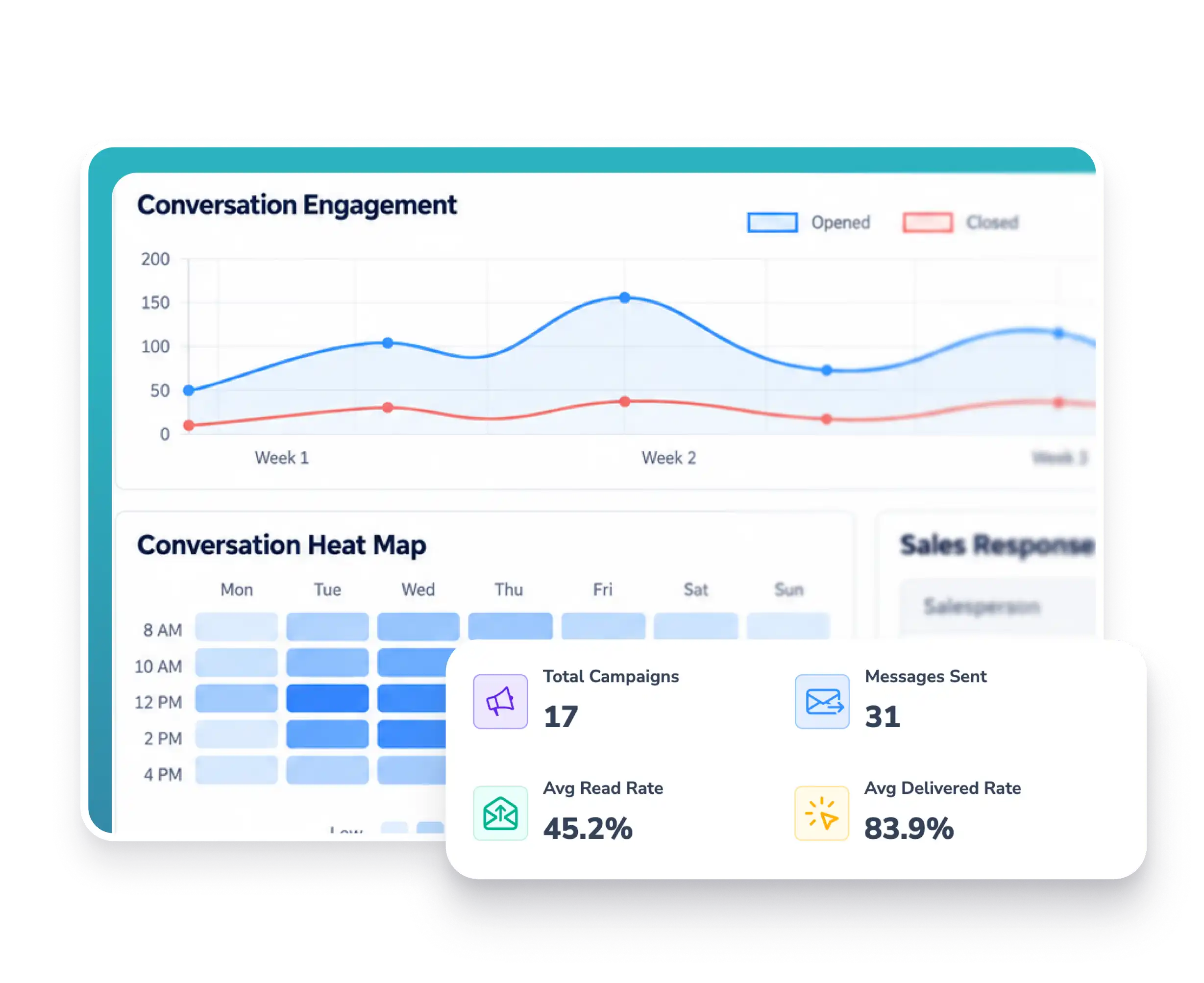
Send personalised WhatsApp promotions, product updates and announcements to selected customers. Track campaign results and team performance from one dashboard.
-
Measure customer engagement (Track messages sent, delivered and read)
-
Monitor response times & identify busy periods
 AI AGENTS
AI Answers Based on Your Business Information
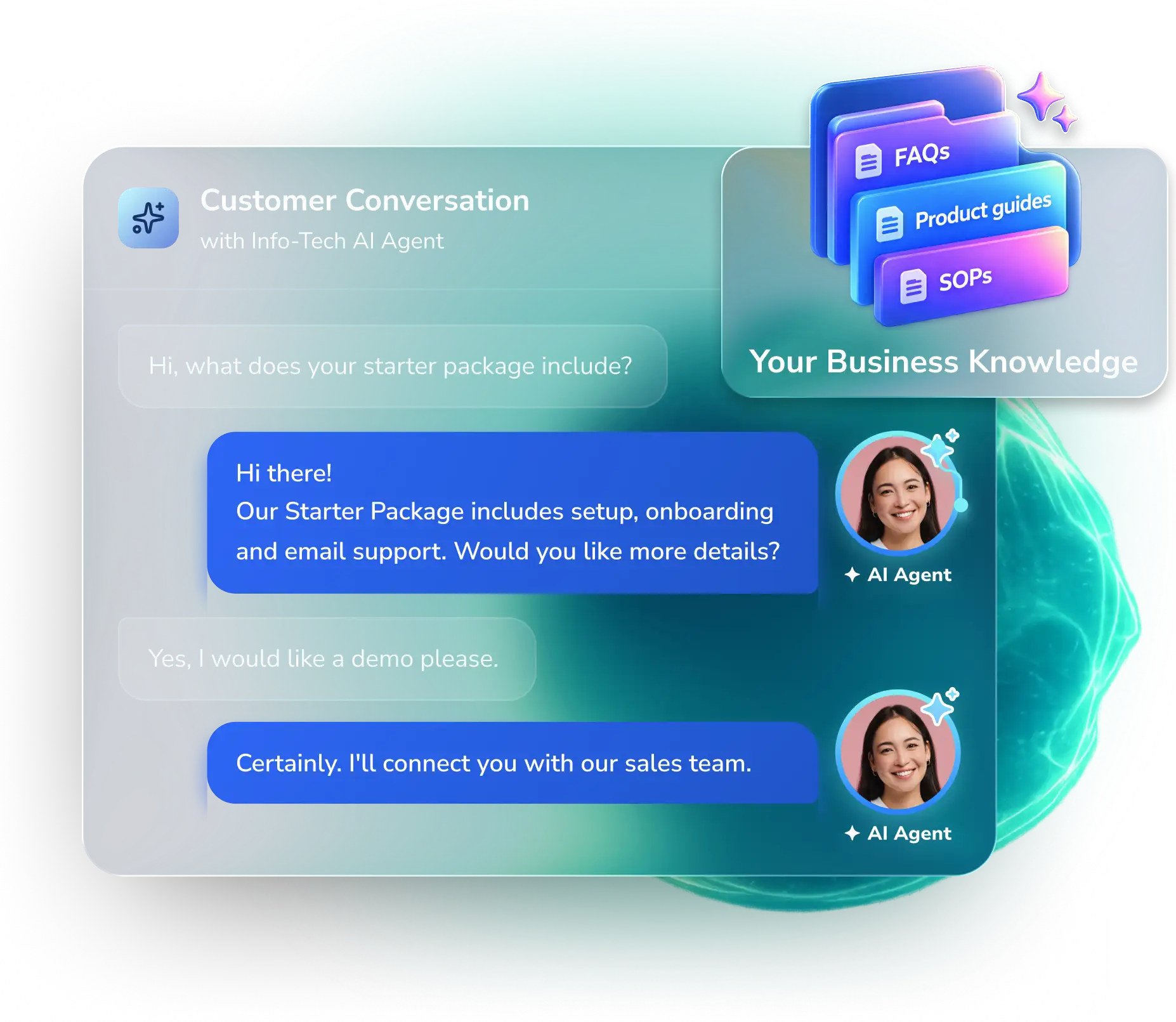
Let Info-Tech AI answer common customer questions using your own business information, even after office hours.
-
Product information & pricing
-
FAQs & company policies
-
Human handover when needed
-
SOPs
-
24/7 Responses
-
Multilingual support
Frequently Asked Questions (FAQ)
Better Conversations.
Stronger
Customer
Relationships.
Bring your customer conversations together with Info-Tech CRM Conversation. Discover how your team can manage enquiries, respond faster and turn interest into sales opportunities. Book a demo to see it in action.
THE ONLY SGX-LISTED HRMS

FEATURED ON